

Void a Payment
Overview
Voiding a payment removes an erroneous or duplicate payment from an account without processing a refund through your payment gateway.
Note: To return money to a customer, see Refunds. Use void only for payments that were recorded on the account in error.
Voiding a Payment
Getting Here: Click Accounts > search for and select an account > Payments & Credits
- Locate the payment you want to void in the payment list.
- Click the void icon for that payment.

- Click OK to confirm you want to void the payment.
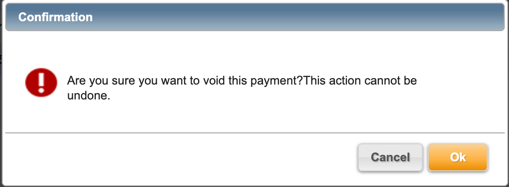
Aria removes the payment from the account and increases the account's balance by the amount of the payment voided.
Preventing the Void of Refunded Payments
By default, you can void a payment whether or not it has been partially or fully refunded. If you want to prevent your users from voiding a payment that already has an active refund applied to it, so your customers are not credited twice for the same transaction (once through the refund and again through the void), request that Aria Support enable the Prevent Void on Refunded Payments client parameter. This is already set to true by default if you have implemented Aria after September 2026.
Note: When Support enables Prevent Void on Refunded Payments, the Payments page displays a lock icon instead of the void icon for any Electronic or External payment that has been partially or fully refunded. A tooltip on the lock icon states that the payment is not eligible for void because it has been partially or fully refunded, and a page-level instruction explains the same to you. If you void the associated refund, Aria removes the lock icon and restores the void action for that payment.
