

Account Activity
The Activities section displays activity data scoped to the selected account. This data corresponds to the global views available under Usage Operations and Aria Sync, filtered to show records for the current account only.
Access Account Activity
To access account activity:
- Search for and select the account. See Account Search.
- Click Activities in the navigation pane. The activity pane opens with activity-related tabs. The Sync Activity tab appears by default.

Account Sync Activity
The Sync Activity tab displays sync activity from core Aria for the selected account. This view corresponds to the data available under Usage > Billing Sync Reprocess > Account > Activity, scoped to the selected account.
To view account sync activity:
- Access account activity. See Access Account Activity.
- Click the Sync Activity tab.

Account Monetized Usage Summary
The Monetized Usage Summary tab displays the monetized usage summary for the selected account. This view corresponds to the data available under Usage > Usage Operations > Usage Data > Monetized Usage Summary, scoped to the selected account.
To view account monetized usage summary:
- Access account activity. See Access Account Activity.
- Click the Monetized Usage Summary tab.

Account Monetized Usage
The Monetized Usage tab displays individual monetized usage records for the selected account. This view corresponds to the data available under Usage > Usage Operations > Usage Data > Monetized Usage, scoped to the selected account.
To view account monetized usage:
- Access account activity. See Access Account Activity.
- Click the Monetized Usage tab.

Account Monetized Non-Usage
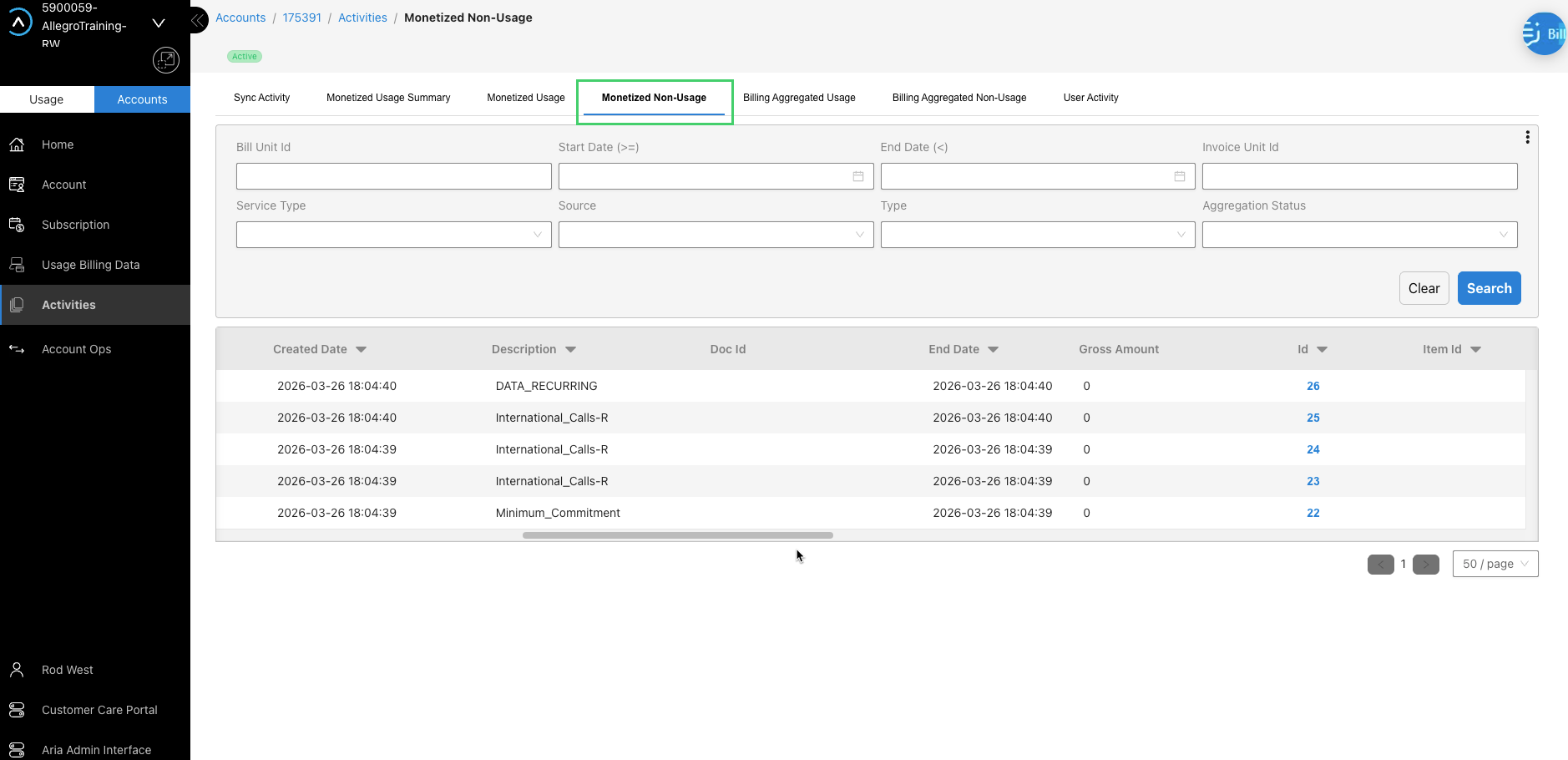
The Monetized Non-Usage tab displays the activation and recurring records created for allowance and accumulator impacts for the selected account. This view corresponds to the data available under Usage > Usage Operations > Usage Data > Monetized Non-Usage, scoped to the selected account.
To view account monetized non-usage:
- Access account activity. See Access Account Activity.
- Click the Monetized Non-Usage tab.
Account Billing Aggregated Usage
The Billing Aggregated Usage tab displays the log of all monetized (and optionally aggregated) usage records sent to core Aria for invoicing and statement generation. This view corresponds to the data available under Usage > Usage Operations > Usage Data > Billing Aggregated Usage, scoped to the selected account.
To view account billing aggregated usage:
- Access account activity. See Access Account Activity.
- Click the Billing Aggregated Usage tab.

Identify Records Needing Error Resolution
Use the account activity views to identify accounts with sync errors or usage suspense records that require action before billing completes correctly.
The following indicators identify records that need error resolution:
- Sync Activity tab—ERROR records: Any sync record with ERROR status indicates that a catalog or account data feed message failed to process in Aria Allegro. Until the error is resolved and reprocessed, the account data in Aria Allegro may be out of sync with Aria Billing Cloud. To resolve, navigate to Usage > Billing Sync Reprocess > Account and reprocess the record after correcting the underlying cause.
- Monetized Usage tab—SUSPENSE records: Usage records in suspense were not monetized due to an account lookup failure, a price unit mismatch, or a missing configuration. Suspense records do not contribute to the customer’s usage total or billing cycle. To diagnose, use the Service ID Lookup and Price Unit Analysis tabs on the Subscriptions view to identify the missing account or pricing object.
- Billing Aggregated Usage tab—ERROR records: Aggregated usage records that failed to synchronize to Aria Billing Cloud do not appear on the customer’s invoice. To reprocess, navigate to Usage > Billing Sync Reprocess > Aggregated Usage and reprocess the failed batch after confirming the Aria Billing Cloud API is available.
Note: Resolve all sync errors for an account before the next billing cycle runs. Unresolved sync errors can cause missing plan instances, incorrect price units, or incomplete balance groups, all of which produce incorrect billing output.
For procedures to reprocess sync errors, see Billing Sync Reprocess and Job Schedule Management.