

Run Payments
Features
- Tokenization
- Authorization
- Capture
- Full or partial refunds (up to 60 days later)
- Authorization Reversal
Webhook Notifications
The following events are supported to update payment statuses:
- transaction.processed (marks payment as verified)
- transaction.reject (marks payment as failed)
Transaction Logging
The Refresh Token and API Key values are masked in Transaction Logging.
Tokenized ACH/Soft Descriptor Support
Aria provides Token Creation functionality for ACH accounts/payments (all ACH payment indicators are flagged as Recurring at this time).
Note: Query token functionality for ACH currently does not exist; therefore, Aria provides the last 4 digits of the account number for the token.
Soft descriptors are also supported from the Collection Group/Payment Gateway hierarchy (Configuration > Payments > Payment Gateways/Collection Groups). If no soft descriptor is available, the <payment_description>
UI Configuration
The Merchant Account Details tab appears as shown:
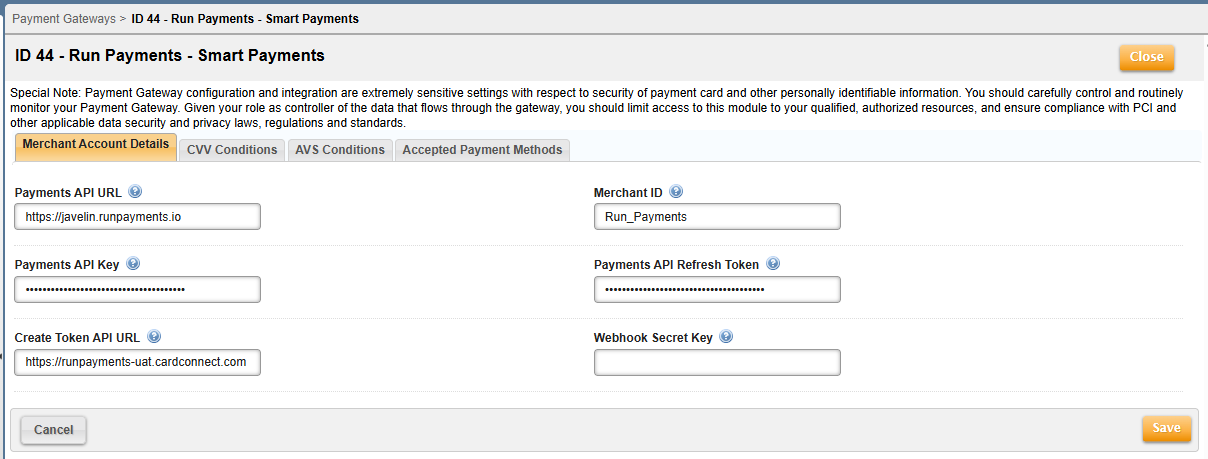
This screen contains the following fields:
| Field | Description |
|---|---|
| Payments API URL | This is the Run Payments Pay URL used for making API calls. It must be configured at either the Payment Gateway level or the Collection Group level. |
| Merchant ID | Enter the Merchant ID assigned by Run Payments. This MID will be provided by your Integration Delivery lead. |
| Payments API Key | This is the API Key provided by your Integration Delivery lead. The key duration is 1 hour - new key and refresh token are persisted upon expiration; expiry time of new key is stored so it can be used for subsequent transactions. |
| Payments API Refresh Token | Enter the Refresh Token provided by your Integration Delivery lead. |
| Create Token API URL | This is the CardPointe URL used for making API calls to create a token for the credit card. It must be configured at either the Payment Gateway level or the Collection Group level. |
| Webhook Secret Key | This key is used to sign and verify the authenticity of the webhook events from Run Payments. Enter a 256-bit (64-character hex) secret key for HMAC-SHA256. The user needs to generate this key, update it in this field, and share the same with the Run Payments contact to update the same in the Run Merchant Portal for this MID. For security, generate a unique random string using a tool like OpenSSL (openssl rand -hex 32) or a secure password generator. |
Note: The Payments API Key and Payments API Refresh Token fields are unavailable from the Collection Group screen for this payment gateway.
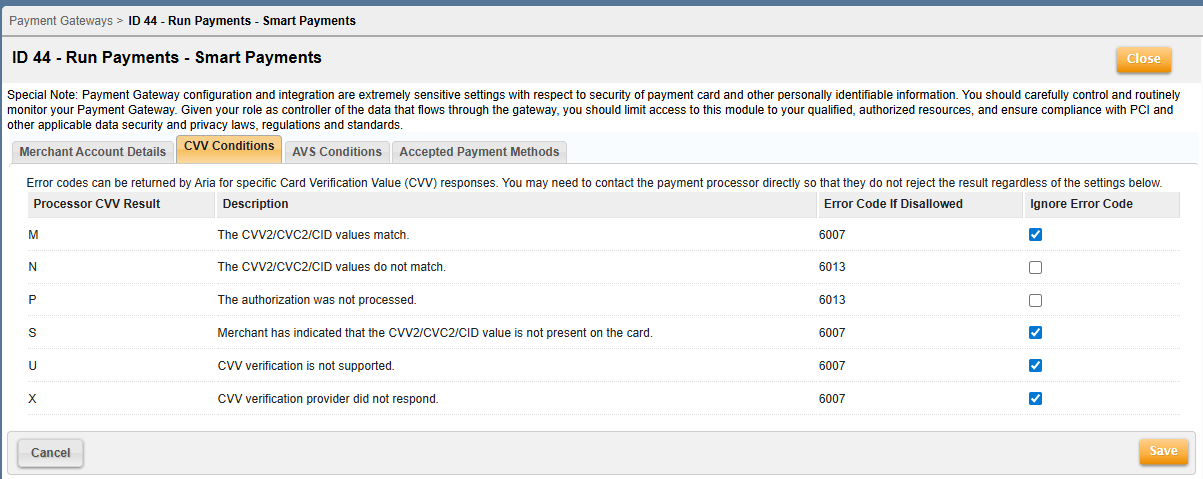
The CVV Conditions tab appears as shown:
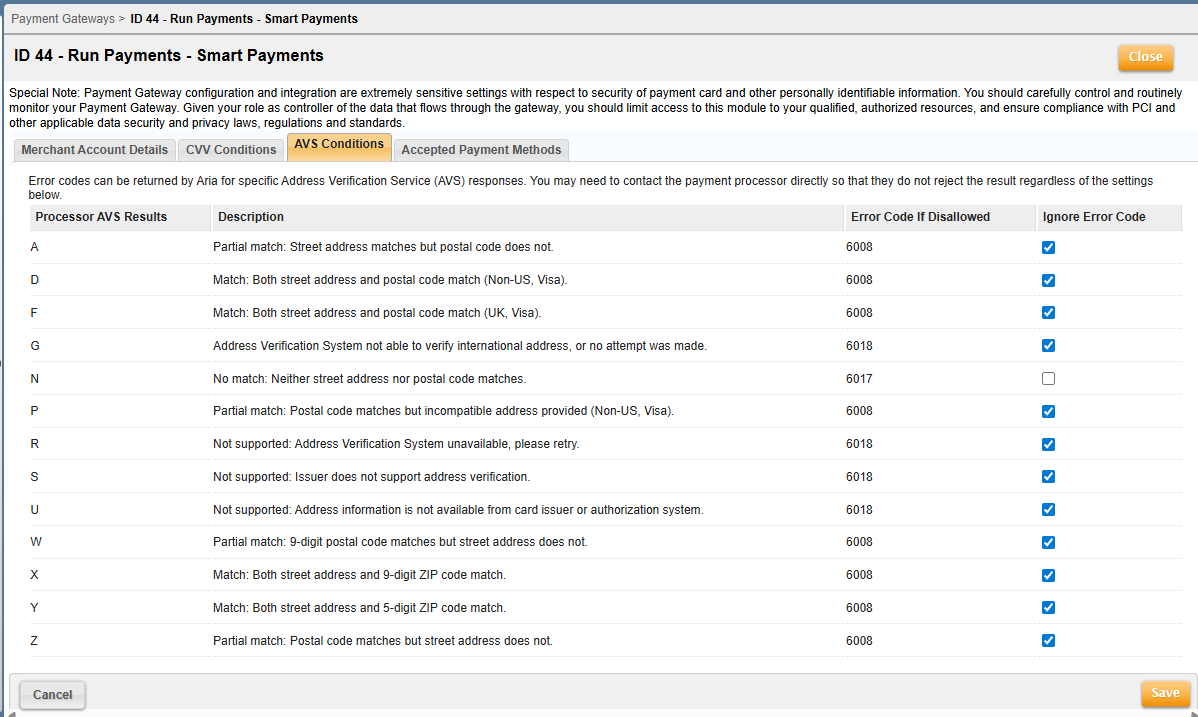
The AVS Conditions tab appears as shown:
Run Payments accepts Tokenized Credit Card payments (pay method 13). This applies to the following card types:
- Visa
- Mastercard
- American Express
- Discover